Microsoft Office Specialist Course Training in Tijuana

Microsoft Office Specialist Training
learners-0CNlearners-1CNlearners-2CNlearners-3CN
286+ Learners

Boost your productivity and credentials with Spoclearn’s Microsoft Office Specialist (MOS) 2019 Certification Training in Tijuana. This course prepares you to master essential tools like Word, Excel, PowerPoint, Outlook, and Access with hands-on guidance aligned to the official Microsoft certification. Learn to navigate and utilize advanced features that streamline tasks and improve work quality. Ideal for students, professionals, and administrative teams—MOS 2019 certification proves your expertise in today’s most in-demand office applications.

4.3/5
4.8/5
English
View Date and Prices
Need Customized Corporate Training? Request a Quote

Microsoft Office Specialist: Expert (Microsoft 365 Apps) Training in Tijuana

Course Overview

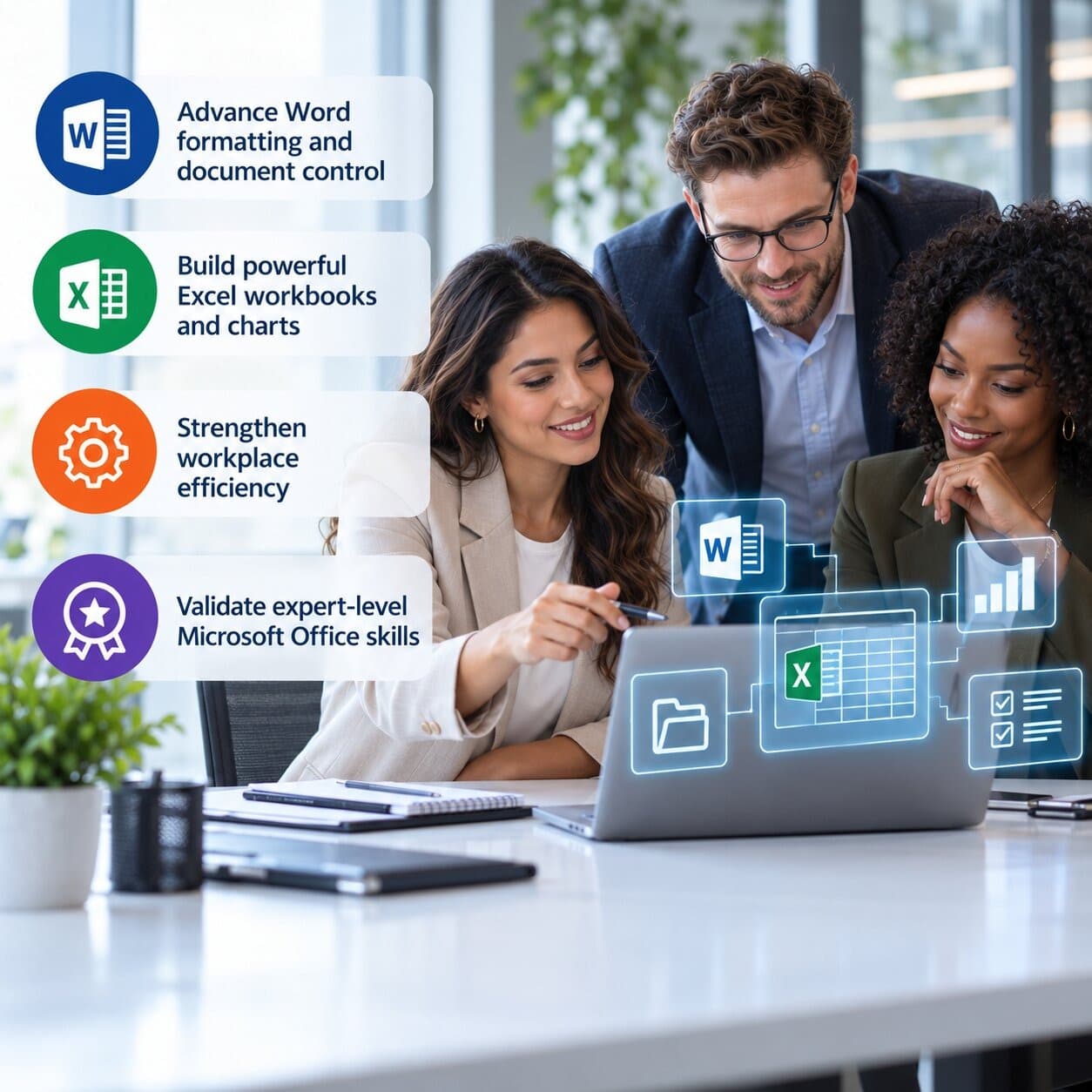
Microsoft Office Specialist: Expert (Microsoft 365 Apps) is Microsoft's highest current certification level within the Microsoft Office Specialist program. It is intended for business users who already know Office well and need to prove that they can work at an advanced level in Microsoft Word and Microsoft Excel. The certification goes beyond routine document formatting or spreadsheet entry. It focuses on the ability to build, manage, troubleshoot, automate, and refine professional documents and workbooks for specialized business situations.

Spoclearn's Microsoft Office Specialist Expert Training is designed specifically around that advanced level. It is not an MOS Associate course and it is not a legacy MOS Master program. The training concentrates on the current Microsoft 365 Apps Expert exams: MO-111 Microsoft Word Expert and MO-211 Microsoft Excel Expert. Learners work with advanced document settings and formatting, custom Word elements, workbook configuration, complex data handling, advanced formulas, macros, charts, and tables through instructor-led demonstrations and practical exercises.

The credential pathway itself has an important prerequisite. Microsoft requires candidates to first earn Microsoft Office Specialist: Associate (Microsoft 365 Apps), then pass two eligible Expert exams in different programs, with at least one Expert exam from the Microsoft 365 Apps track. For professionals following an all-current Microsoft 365 Apps route, MO-111 and MO-211 are the natural Expert combination. This page therefore separates certification requirements from training content: the course teaches Expert-level Word and Excel, while candidates remain responsible for completing Microsoft's prerequisite certification sequence.

Why You Should Pursue Microsoft Office Specialist 2019 Training in Tijuana?

Enquire now
15% Higher

Get Certified, Unlock Higher Income Potential

Professionals with a Microsoft Office Specialist (MOS) 2019 certification can earn up to 15% Higher median global salary compared to their non-certified peers.

2 million

Join a Fast-Growing Network Today!

Microsoft Office Specialist (MOS) 2019 certification has been earned by more than 2 million professionals worldwide.

200,000+

Strengthen Your Career with New Credibility

Microsoft Office Specialist (MOS) 2019 certification is expected to create 200,000+ new jobs globally by 2030, growing by 25,000 roles annually.

Why Microsoft Office Specialist 2019 Certification Drives Career Growth?

Salary

Microsoft Office Specialist (MOS) 2019-certified professionals earn an average global salary of around $52,000 per year.

Job Growth

Microsoft Office Specialist (MOS) 2019 certification is driving the creation of 120,000+ new jobs worldwide by 2030.

Job Listing

Microsoft Office Specialist (MOS) 2019 certification skills are forecasted to drive 26,000+ new job listings annually worldwide through 2030.

Top Industry Hiring

Top industries hiring professionals with Microsoft Office Specialist (MOS) 2019 certification include education, finance, healthcare, government, IT services, and administrative support.

great work location for professionals

Key Features of Microsoft Office Specialist 2019 Training in Tijuana

Course Highlights
  • 3-Day Microsoft Office Specialist training delivered by expert trainers
  • 100% Money-Back Guarantee
  • Expert Microsoft Office practitioners with real-world experience
  • Accredited training collaterals prepared by Subject Matter Experts
  • After training coaching for real-world application
  • Future career support provided for professionals

Who Can Attend MOS 2019 Training in Tijuana

Target Audience

Job roles that can take up Microsoft Office Specialist 2019 Training:

  • Finance & Accounting Professionals
  • Business / Data Analysts
  • Project & PMO Professionals
  • Operations & Supply Chain Teams
  • Executive Assistants / Office Managers
  • Consultants & Researchers
  • HR / Procurement / Sales Operations
  • Document Control / Quality Teams
Target Audience

Who Can Attend MOS Training

Exam Format

Expert Exam

Duration

Core Skills Assessed

Current Language Coverage

MO-111 Word Expert

50 minutes

Document options/settings; advanced editing/formatting; custom document elements; advanced Word features

Multiple languages including English, Chinese, German, Greek, Spanish, French, Japanese, Vietnamese, Korean

MO-211 Excel Expert

50 minutes

Workbook options/settings; data management/formatting; advanced formulas/macros; advanced charts/tables

English, Chinese, French, German, Japanese, Spanish

Microsoft Office exam scores are reported on a 1-to-1,000 scale. Microsoft states that the actual passing score depends on the specific Office exam, so candidates should rely on the result and score report for the exam they take rather than assume a universal percentage.

Microsoft Office Specialist 2019 CURRICULUM: COMPLETE COURSE SYLLABUS & LEARNING PATH

Course Agenda

  • MOS Expert orientation and MO-111 exam expectations

  • Manage advanced document options and settings

  • Configure document properties, templates and advanced layout settings

  • Work with styles, style sets, themes and advanced formatting

  • Manage sections, pagination and complex page layouts

  • Advanced Find and Replace techniques

  • Configure editing, proofing and document protection options

  • Manage large and structured documents

Practical Application: Learners build and configure a professional multi-section business document, apply advanced styles and layouts, manage document settings, and prepare the file for controlled organizational use.

Eligibility

Am I Eligible for Microsoft Office Specialist 2019?

Quick answer, so you can get started with confidence.

  • As this is a Foundation-level course, there are no prerequisites to take up Microsoft Office Specialist 2019 certification training and its exam.

Spoclearn: Training That Works for Corporates

Get tailored training programs for individuals and enterprise teams that help to maximize your training budgets

Explore Corporate Training
Tailored Programs

Customized training solutions designed to meet individual and organizational goals for maximum effectiveness.

World Class Trainers

Learn from 200+ global experts with real-world industry experience and proven expertise.

Flexible Learning

Blended training options to suit diverse learning preferences and geographically dispersed teams.

Real-world Impact

Post-training coaching ensures the practical application of skills for measurable, lasting results.


Spoclearn for corporate training
spoclearn-key-differentiators

What Makes Spoclearn Different

Spoclearn Key Differentiators
A Single Point of Contact for all your Learning needs.
Four different learning modes available
Wide range of industry-recognized courses to choose from
Accredited course materials approved by governing bodies
200+ trainers and SMEs fulfilling training requirements worldwide

Frequently Asked Questions

Loading...
Have More Questions?
Our Learning Advisors are here to help you choose the right path.
  • Speak with an Expert
  • Get Personalized Guidance
  • Know More About Training
  • Request a Corporate Proposal

Global Business Trends Driving Demand for Advanced Office Skills

The Office skill ceiling is rising even as AI and automation make routine tasks easier. Teams now expect fewer manual steps, cleaner data, consistent templates, faster turnaround, better auditability, and outputs that can move from working file to executive-ready deliverable without extensive rework. Advanced Word and Excel skills sit underneath many of those expectations.

Global Business Trend

Why Expert Office Capability Matters

AI-assisted productivity

Users still need to validate formulas, structure, formatting, logic, and final business output

Self-service analysis

More teams build their own models, trackers, and management reports in Excel

Document standardization

Organizations need reusable templates, consistent styles, and controlled professional documents

Automation of repetitive work

Macros and reusable Office structures can reduce repeated manual steps

Hybrid and distributed work

Files need to be understandable, maintainable, and consistent across teams

Faster reporting cycles

Advanced formulas, data handling, charts, and workbook settings improve turnaround

Governance and quality

Critical spreadsheets and documents require better controls, reviewability, and consistency

Skills benchmarking

Certification provides a standardized external reference for advanced Office capability

Why Organizations Invest in MOS Expert-Level Capability 

Organizations often discover that a small group of informal 'power users' carries a disproportionate amount of spreadsheet and document knowledge. When those people leave, change roles, or become overloaded, reporting and documentation processes can slow down. Expert-level training helps distribute capability more deliberately. It also gives teams a common language for workbook structure, document standards, automation, formula design, and reusable templates.

The strongest enterprise use case is not certification for its own sake. It is building reliable capability around business-critical Office work. A finance team may need consistent models and recurring reports. A PMO may need standardized portfolio trackers and governance documents. Operations teams may need repeatable analysis and controlled templates. Executive-support teams may need high-quality documents produced quickly under pressure. MOS Expert provides an external benchmark that can sit alongside those internal standards.

Organizations increasingly value professionals who can demonstrate practical capability in:

• Advanced Word document structure, formatting, reusable elements, and controlled document settings

• Advanced Excel formulas, workbook configuration, data management, macros, charts, and tables

• Reducing repetitive manual work through better Office design and automation

• Standardizing recurring business reports, templates, and management outputs

• Troubleshooting complex document and spreadsheet problems independently

• Improving the quality, maintainability, and reviewability of critical Office files

AI Is Changing Office Work, but Expert Human Skills Still Matter 

Microsoft 365 users increasingly work alongside AI-assisted features that can draft text, summarize information, suggest formulas, and accelerate repetitive tasks. That does not remove the need for advanced application knowledge. Someone still has to judge whether the formula is logically correct, whether the workbook structure is maintainable, whether the document uses the right styles and sections, whether automation is safe, and whether the final output meets business standards.

For that reason, MOS Expert should not be positioned as an anti-AI certification or as a Copilot credential. Its value is more fundamental: it validates deep Word and Excel capability that helps users review, refine, and control the work produced with or without AI assistance. In practice, advanced users can often make better use of automation because they understand what a robust document or workbook should look like before they automate it.

Why MOS Expert Is a Global Productivity Credential 

Microsoft Office skills are used across industries and geographies, which gives MOS a wider application than certifications tied to one occupation. Microsoft lists multiple languages for the Word Expert and Excel Expert credentials, and the Expert pathway is designed for the Business User role. The certification can therefore support professionals in finance, operations, consulting, project management, administration, education, research, sales operations, HR, procurement, and other functions where Word and Excel are core working tools.

Global relevance should still be described carefully. MOS Expert does not guarantee employment, a salary increase, or promotion. It validates advanced product skills. Employers will continue to assess domain knowledge, experience, communication, and local job requirements. The credential is most persuasive when candidates can connect it to real business outcomes such as faster reporting, cleaner models, fewer manual errors, standardized documents, and greater independence when handling complex Office tasks.

Where Microsoft Office Specialist 2019 Holders Drive Success

Explore Success Stories

Request a Call Back from Spoclearn – We’re Just a Click Away

Got questions or need help choosing the right training or consulting solution? Schedule a call back with our expert team whenever you're able. Select a time that suits your schedule, and we’ll reach out to guide you through your options.